Keeping track of subscriptions: find forgotten contracts and price increases
A subscription is quickly signed up for: trial month, one click, done. Cancelling, on the other hand, rarely happens. On top of that come price increases of one or two euros that hardly stand out on their own. Together, forgotten subscriptions and creeping increases quickly add up to a noticeable amount per year.
Where subscriptions hide
- Checking account: direct debits from streaming, music and software providers.
- Credit card: many international services charge there.
- Payment services: often appear on the account only with the payment service’s name, not the actual provider.
- App stores: in-app subscriptions on phones and tablets run through your store account. The store’s account settings have a list of all running subscriptions.
- Phone bill: third-party subscriptions can be billed via your mobile phone bill. A third-party block with your provider prevents this.
The subscription checklist
- Make a listName, price, rhythm (monthly, annually), next debit, notice period.
- Work out the yearly amount€12.99 a month sounds like little, but it’s €155.88 a year.
- Check your usage honestlyWhen did you last use the service? Would you sign up for it again today?
- Cancel, switch or pauseMany streaming services can be cancelled monthly and restarted later. Rotating instead of paying for all at once often saves a lot.
- Keep the cancellation confirmationCheck until the last debit that really nothing else goes out.
| Streaming A, €13.99 a month | €167.88 |
| Streaming B, €9.99 a month | €119.88 |
| Music, €10.99 a month | €131.88 |
| Cloud storage, €2.99 a month | €35.88 |
| Fitness app, €59.99 a year | €59.99 |
| Total per year | €515.51 |
|---|
Spotting price increases
Providers usually announce price increases by email, often with a note about your special right to cancel or the option to object. If you overlook this email, you simply keep paying.
- Note the price: only if you know the old price will you notice the new one.
- Compare debits: if the amount differs from the previous month, take a quick look why.
- Mind the deadlines: for announced increases there’s often only a limited time to react. The exact rules are in the provider’s notice.
How it works in Ausgabentracker
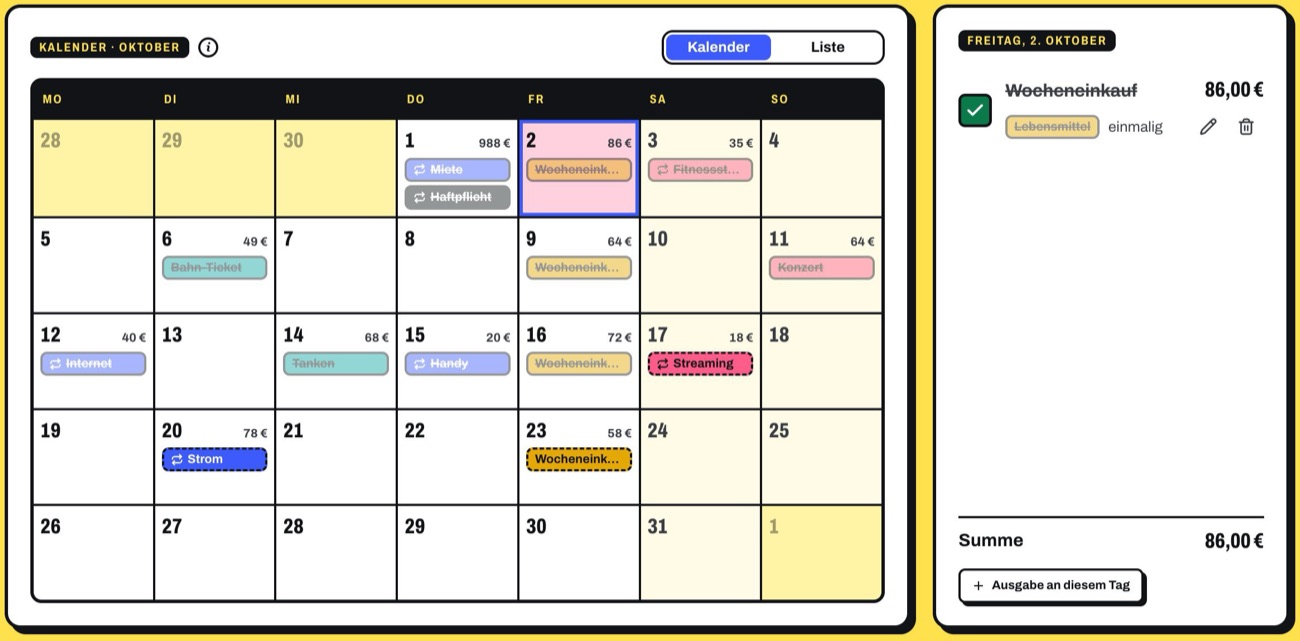
You enter subscriptions as a recurring expense with their rhythm. If the price goes up, you set the new amount from an effective date; the old months stay correct. The app tells you by itself when a subscription has become more expensive.
- All subscriptions on their debit day in the calendar
- Price increase from an effective date, with a tip in the overview
- Trials and contracts with a notice period: the app reminds you before the last day to cancel
- With the bank connection (from Plus), new debits stand out by themselves
Frequently asked questions
How do I find subscriptions that run via the app store? The account settings of the app store on your phone have an overview of all running subscriptions with their renewal date. You can usually cancel them directly there too.
What is a trial that renews? Many services start with a free or cheap period and then automatically switch to a paid subscription. Note the last day to cancel right when you sign up. More on this in Free trials without traps.
Shared subscriptions with family or flatmates? Family or multi-user plans are often much cheaper per person. But check the provider’s conditions, for example whether everyone has to live in the same household.
How often should I review my subscriptions? Once a quarter is enough. And additionally whenever an email about a price or contract change arrives.